
Working with GraphQL APIs in n8n: Complete Developer Guide
Sasha Ray
18th Oct, 2026
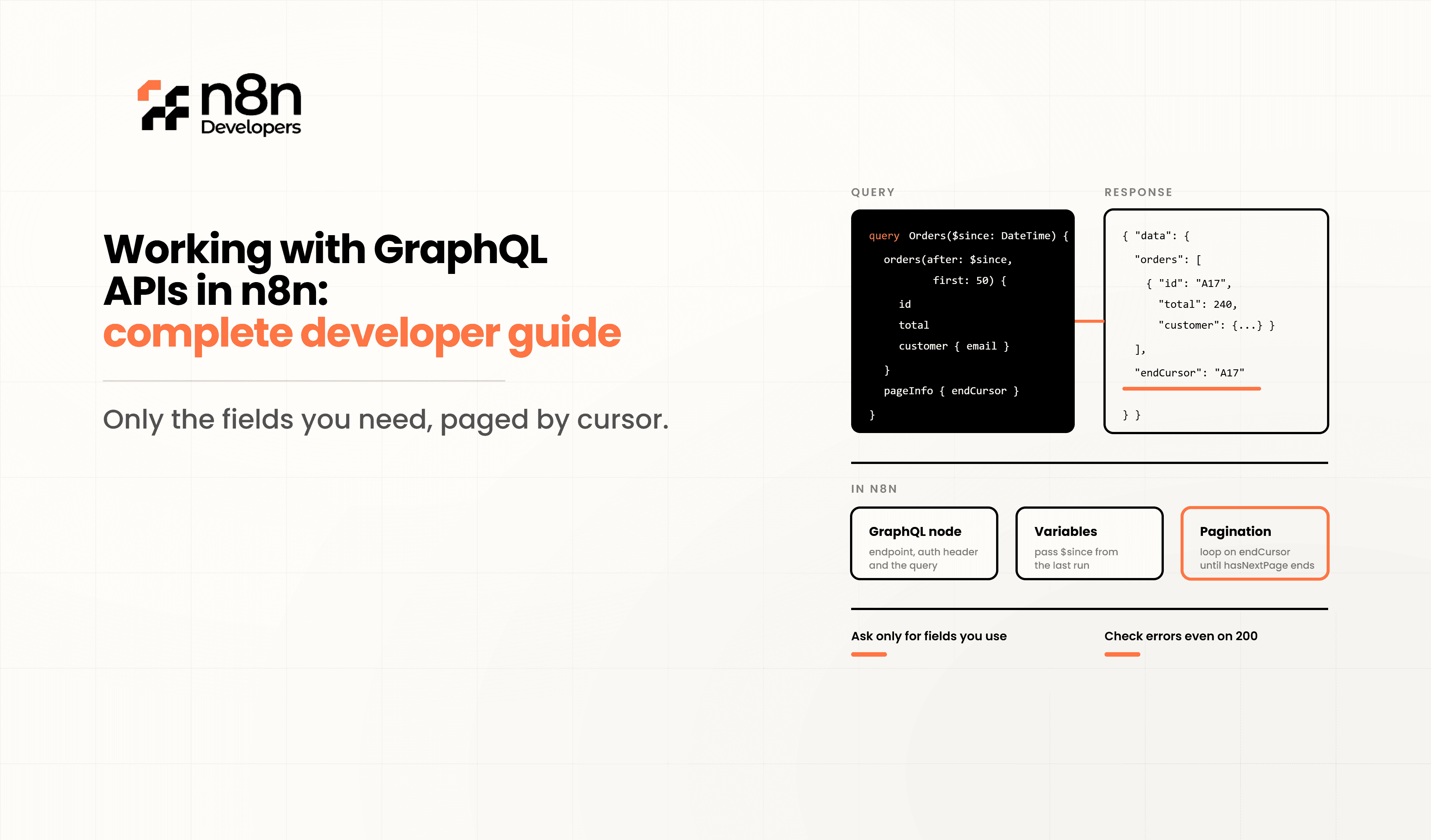
Working with GraphQL APIs in n8n: Complete Developer Guide
Modern applications depend on APIs to exchange data efficiently. While REST APIs are still widely used, GraphQL has become a preferred option for many developers because it allows clients to request exactly the data they need. Combining GraphQL with n8n makes it possible to automate data retrieval, updates, and business processes without writing large amounts of custom code.
Whether you're integrating CRM systems, eCommerce platforms, project management tools, or SaaS applications, understanding Working with GraphQL APIs in n8n will help you build scalable and flexible automation workflows.
In this guide, you'll learn how GraphQL works, how to connect GraphQL APIs in n8n, handle authentication, execute queries and mutations, manage errors, and implement best practices for production-ready workflows.
What is GraphQL?
GraphQL is a query language and runtime for APIs developed by Facebook. Unlike REST APIs, which expose multiple endpoints, GraphQL typically uses a single endpoint where clients specify exactly which fields they want.
Benefits include:
Reduced network requests
Smaller responses
Flexible queries
Strong typing
Better developer experience
Easier frontend integrations
This makes GraphQL ideal for automation platforms where efficient data retrieval is important.
Why Use GraphQL with n8n?
Using n8n with GraphQL allows businesses to automate workflows across modern cloud applications.
Common automation scenarios include:
Synchronizing customer information
Updating inventory automatically
Creating support tickets
Managing user accounts
Automating project management
Syncing product catalogs
Monitoring application data
Building reporting dashboards
Instead of manually calling APIs, workflows execute automatically whenever an event occurs.
Understanding GraphQL Operations
GraphQL mainly supports three operation types.
Queries
Queries retrieve data.
Example:
query {
users {
id
name
}
}
Mutations
Mutations create or modify data.
Example:
mutation {
createUser(
name:"John"
){
id
name
}
}
Subscriptions
Subscriptions receive real-time updates whenever data changes.
Many GraphQL servers support subscriptions using WebSockets.
Connecting GraphQL APIs in n8n
Most GraphQL integrations use the HTTP Request node.
Basic steps include:
Add an HTTP Request node.
Choose POST.
Enter the GraphQL endpoint.
Configure authentication.
Add request headers.
Send GraphQL query.
Process the returned JSON.
Most GraphQL servers expect requests like:
{
"query": "...GraphQL query..."
}
Authentication Methods
GraphQL APIs support several authentication options.
API Key
Authorization: Bearer YOUR_API_KEY
OAuth
Many SaaS platforms require OAuth authentication.
Examples include:
Shopify
GitHub
HubSpot
JWT Tokens
Enterprise applications often use JWT authentication.
Example:
Authorization: Bearer JWT_TOKEN
Store credentials securely inside n8n credentials rather than hardcoding them.
Example Query Workflow
Suppose you want to retrieve customer details.
Example query:
query {
customers {
id
firstName
}
}
Request Body:
{
"query":"query { customers { id firstName email } }"
}
Returned response:
{
"data":{
"customers":[
{
"id":"1",
"firstName":"Alice",
}
]
}
}
This data can then be passed into email marketing, CRM, or reporting workflows.
Running Mutations
GraphQL mutations update information.
Example:
mutation{
updateCustomer(
id:"1001"
status:"Active"
){
id
status
}
}
Typical use cases:
Create users
Update orders
Delete records
Change inventory
Modify subscriptions
Using Variables
Instead of embedding values directly, use GraphQL variables.
Example:
query GetUser($id: ID!){
user(id:$id){
name
}
}
Variables:
{
"id":"101"
}
Variables make workflows reusable and easier to maintain.
Pagination
Large datasets should be retrieved in batches.
Cursor example:
query{
products(first:100){
edges{
node{
id
title
}
}
}
}
Combine pagination with loops inside n8n for efficient processing of thousands of records.
Error Handling
GraphQL responses often contain:
{
"errors":[]
}
Always check:
Authentication failures
Invalid queries
Missing permissions
Rate limits
Timeout errors
Use IF nodes and Error Trigger nodes to build resilient workflows.
Transforming GraphQL Data
Returned GraphQL responses can be transformed using:
Set node
Code node
Merge node
Item Lists
Expressions
Example:
Convert customer data into:
{
"name":"Alice",
}
before sending it to another application.
Real Business Use Cases
Organizations automate GraphQL APIs for many purposes.
CRM Integration
Retrieve contacts automatically and sync them with marketing software.
eCommerce Automation
Update product inventory after every purchase.
Customer Support
Create tickets when orders fail.
HR Systems
Synchronize employee records.
Analytics
Generate reports from multiple GraphQL services.
Performance Best Practices
To improve workflow performance:
Request only required fields.
Reuse GraphQL variables.
Cache responses when possible.
Avoid deeply nested queries.
Handle pagination efficiently.
Implement retry logic.
Monitor API limits.
Store credentials securely.
These practices improve both speed and reliability.
Security Considerations
Always follow security best practices.
Use HTTPS endpoints.
Rotate API keys regularly.
Store credentials securely.
Restrict permissions.
Validate incoming data.
Log workflow activity.
Monitor failed requests.
Enable authentication wherever possible.
Why Businesses Choose GraphQL Automation
GraphQL provides more flexibility than traditional REST APIs.
Advantages include:
Faster development
Better performance
Smaller payloads
Easier integrations
Reduced maintenance
Improved scalability
Strong developer experience
As more SaaS providers adopt GraphQL, automation becomes even more valuable.
Building a Real-World Workflow Example
Let's say you want to automate fetching new customer records from a GraphQL-powered CRM and syncing them into a Google Sheet every hour.
Schedule Trigger Node
— runs the workflow every hour.
HTTP Request Node
— sends a GraphQL query to fetch new customers created in the last hour.
Set Node
— maps and transforms the GraphQL response fields into a clean format.
Google Sheets Node
— appends the transformed data as new rows.
This is a simple but powerful example of how n8n workflow automation combined with GraphQL can eliminate manual data entry and keep systems in sync automatically.
At N8n Developers, we specialize in building custom automation workflows exactly like this — helping businesses connect their APIs, databases, and third-party tools through reliable, scalable n8n solutions tailored to real operational needs.
Common Challenges When Working with GraphQL in n8n
Complex nested responses:
Use the Set node or Code node to flatten and simplify data before passing it downstream.
Rate limiting:
Some GraphQL APIs enforce strict rate limits; use n8n's built-in retry and wait nodes to manage this gracefully.
Error handling:
GraphQL often returns a 200 status code even on errors, with error details inside the JSON body — so always check the errors field in the response, not just the HTTP status.
Large schemas:
For APIs with extensive schemas, keep queries modular and reusable across workflows.
N8n Developers
Mastering Working with GraphQL APIs in n8n enables developers to connect modern applications with powerful automation workflows. From queries and mutations to authentication, pagination, and error handling, GraphQL provides the flexibility needed for today's software ecosystem.
When combined with n8n, businesses can automate repetitive tasks, synchronize data across platforms, and build scalable integrations that save time and improve operational efficiency. Following the best practices covered in this guide will help you create secure, maintainable, and production-ready GraphQL automation workflows.
Frequently Asked Questions
GraphQL in n8n lets you automate data retrieval and updates using GraphQL APIs within workflows.
The HTTP Request node is commonly used to send GraphQL queries and mutations.
Yes, n8n supports API keys, OAuth, JWT tokens, and custom authentication headers.
Yes, GraphQL uses mutations to create, update, and delete records.
GraphQL retrieves only the required data, reducing bandwidth and improving workflow efficiency.

