
How to Audit and Monitor n8n Workflows for Security
Sasha Ray
15th Oct, 2026
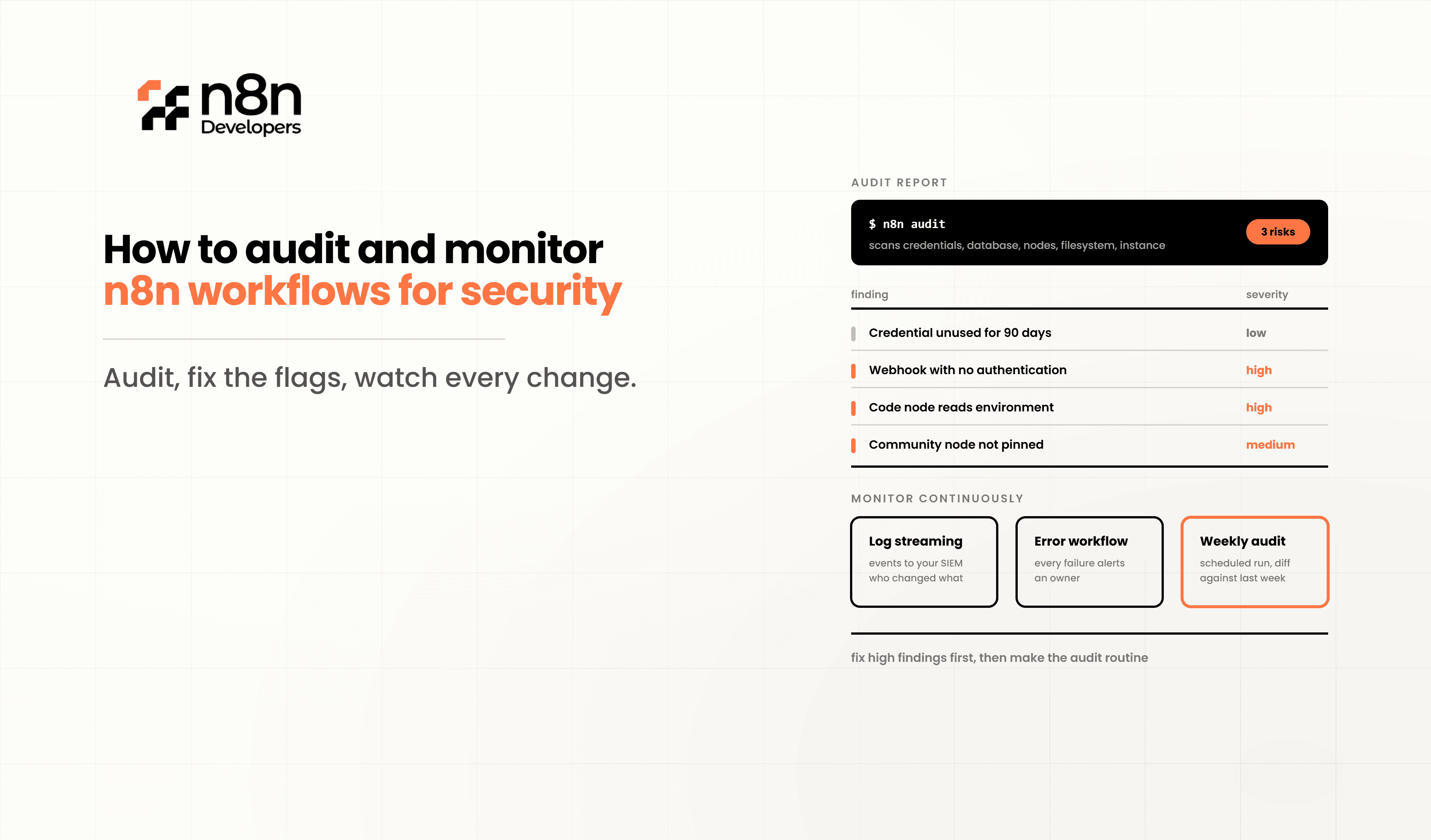
How to Audit and Monitor n8n Workflows for Security
Modern automation handles sensitive business operations, making workflow security more important than ever. Whether your automation processes customer data, internal systems, or third-party APIs, every workflow should be monitored and audited regularly. **n8n** is an essential practice that helps organizations detect suspicious activity, reduce risks, and maintain compliance.
Many businesses focus only on building workflows but overlook what happens after deployment. Without proper monitoring, configuration errors, unauthorized access, failed executions, or compromised credentials may go unnoticed. By implementing structured auditing and continuous monitoring, companies can keep their automation environment reliable and secure.
Why Security Auditing Matters
Automation platforms often connect multiple business applications, cloud services, and databases. If one workflow becomes compromised, attackers could potentially access confidential business information or trigger unauthorized actions.
Regular security audits help you:
Detect unauthorized workflow changes
Identify failed or abnormal executions
Protect API credentials
Maintain compliance requirements
Improve workflow reliability
Reduce downtime caused by security incidents
Monitoring should become part of your routine maintenance instead of something performed only after a problem occurs.
Enable Detailed Workflow Logging
The first step in any security strategy is maintaining detailed logs.
Logs provide visibility into:
Workflow execution history
User activities
Login attempts
Execution failures
API requests
Error messages
Detailed logs help administrators quickly determine:
Who modified a workflow
When changes occurred
Which workflow executed
What data was processed
Why failures happened
Store logs securely and retain them according to your organization's compliance requirements.
Track Workflow Changes
Configuration changes should never go unnoticed.
Implement version control by:
Saving workflow revisions
Recording editor information
Tracking timestamps
Reviewing modifications before deployment
Version history makes it easy to:
Roll back mistakes
Identify unauthorized edits
Compare previous configurations
Support compliance audits
Using Git repositories alongside exported workflow **n8n** files is an excellent practice for development teams.
Monitor User Access
Not every employee should have administrator permissions.
Use Role-Based Access Control (RBAC) whenever possible.
Create different permission levels such as:
Administrators
Developers
Editors
View-only users
Regularly review:
Active users
Disabled accounts
Permission changes
Shared credentials
Remove unused accounts immediately after employees leave the organization.
Protect Credentials
Credentials are among the most sensitive parts of automation.
Always:
Encrypt stored credentials
Rotate API keys regularly
Avoid hardcoding secrets
Use secure secret management systems
Limit credential access
Never expose credentials inside workflow nodes or documentation.
Watch for Failed Executions
Repeated failures often indicate:
Incorrect permissions
Expired tokens
Network attacks
Misconfigured APIs
Broken integrations
Configure alerts whenever:
Multiple failures occur
Authentication fails repeatedly
Unexpected execution spikes appear
External APIs reject requests
Early alerts help prevent larger security issues.
Monitor Resource Usage
Unexpected increases in:
CPU usage
Memory consumption
Database activity
Network traffic
may indicate malicious activity or poorly designed workflows.
Set monitoring dashboards to observe:
Active executions
Queue length
Processing times
Server health
Storage utilization
These metrics help identify abnormal behavior before it affects production systems.
Secure External Integrations
Most workflows interact with third-party applications.
Review integrations regularly by checking:
Active API tokens
OAuth permissions
Expired certificates
Webhook security
IP restrictions
Remove integrations that are no longer needed.
Enable Alerting Systems
Monitoring without notifications provides little value.
Configure alerts for:
Failed logins
Unauthorized changes
High execution errors
Server downtime
Suspicious traffic
Credential modifications
Notifications can be delivered through:
Email
Slack
Microsoft Teams
SMS
Incident management platforms
Fast notifications reduce response times during security incidents.
Perform Regular Security Reviews
Create a recurring checklist.
Monthly reviews should include:
Workflow permissions
Credential rotation
Workflow cleanup
Node updates
Plugin verification
Backup testing
Log reviews
Quarterly audits should include penetration testing and infrastructure assessments where appropriate.
Maintain Secure Backups
A backup is part of security.
Regularly back up:
Workflows
Credentials
Configuration files
Databases
Environment variables
Test backup restoration periodically to ensure data can be recovered successfully.
Best Practices for Long-Term Workflow Security
Organizations should establish security standards instead of relying on individual developers.
Recommended practices include:
Use HTTPS for all connections.
Apply multi-factor authentication where available.
Restrict server access using firewalls.
Keep automation software updated.
Review workflows before production deployment.
Monitor execution logs daily.
Document every workflow modification.
Schedule routine security audits.
Remove unused workflows and credentials.
Train employees on automation security awareness.
These practices significantly reduce operational and security risks while improving reliability.
N8n Developers
As automation environments continue to grow, security becomes just as important as functionality. At N8n Developers, we provide Information Technology solutions and experienced developers who help businesses build, secure, monitor, and optimize automation platforms. From workflow audits and infrastructure hardening to ongoing monitoring and custom development, our team ensures your automation ecosystem remains efficient, scalable, and protected.
Security is an ongoing process rather than a one-time task. By implementing proper logging, monitoring, access controls, credential management, and regular audits, organizations can reduce vulnerabilities and maintain reliable automation operations. A proactive approach to **n8n** helps safeguard business data, improve compliance, and ensure workflows continue to operate efficiently as your automation environment grows.
If you're planning to secure or scale your automation infrastructure, our Information Technology experts and developers can help design, audit, and maintain secure workflow solutions tailored to your business needs. Contact us today to strengthen your automation security and build with confidence.
Frequently Asked Questions
Regular audits help detect security risks, unauthorized changes, and workflow issues before they affect business operations.
Monitor workflow executions, logs, user access, credentials, API activity, and system performance.
Use encrypted credentials, role-based access, logging, alerts, regular updates, and scheduled security reviews.
Monthly operational reviews and quarterly comprehensive security audits are recommended.
Yes, experienced developers can implement monitoring, auditing, secure architecture, and best security practices for automation.

