
Vector Databases + n8n: A Practical Guide
Sasha Ray
16th Aug, 2026
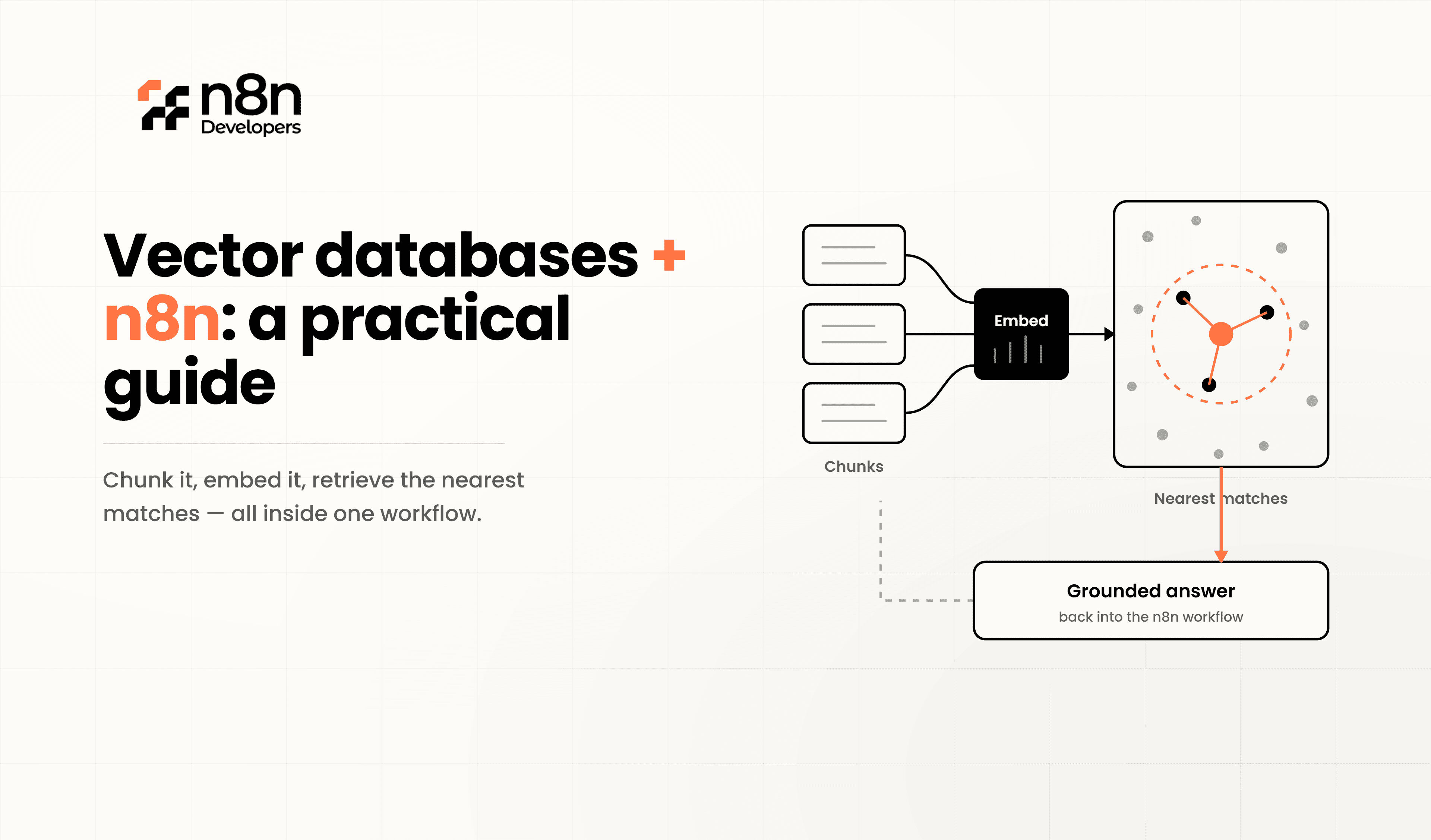
Vector Databases + n8n: A Practical Guide
Artificial intelligence applications rely on more than traditional databases. Modern AI systems need fast semantic search, contextual retrieval, and intelligent data processing. This is where n8n become a powerful combination for building scalable automation workflows.
Instead of searching only by exact keywords, vector databases understand the meaning behind data using embeddings. Combined with n8n, businesses can automate document indexing, AI assistants, recommendation engines, and knowledge management with minimal coding.
Whether you're developing enterprise AI solutions or automating business operations, integrating vector databases into your workflows helps improve accuracy, speed, and scalability.
What Is a Vector Database?
A vector database stores information as mathematical vectors generated by AI embedding models. These vectors represent the meaning of text, images, audio, or other content instead of simple words.
Unlike SQL databases that search exact values, vector databases perform similarity searches, allowing AI applications to retrieve information based on context rather than keywords.
Common use cases include:
AI chatbots
Knowledge bases
Semantic search
Product recommendations
Document retrieval
Enterprise AI assistants
Why Combine Vector Databases + n8n?
n8n provides a visual workflow automation platform that connects APIs, databases, AI models, and business applications.
By integrating vector databases into automated workflows, businesses can:
Automatically create embeddings
Store documents in vector databases
Retrieve relevant knowledge instantly
Connect AI models with business systems
Automate enterprise knowledge management
This combination reduces manual work while improving AI response quality.
How the Workflow Works
A practical workflow typically follows these steps:
Step 1 – Collect Data
Data can come from:
PDFs
Websites
CRM systems
Emails
ERP applications
Cloud storage
Step 2 – Generate Embeddings
An embedding model converts documents into vectors representing their meaning.
Step 3 – Store in Vector Database
The generated vectors are stored inside a vector database like Pinecone, Weaviate, Qdrant, Milvus, or ChromaDB.
Step 4 – User Search
When a user asks a question, another embedding is created from the query.
Step 5 – Similarity Search
The vector database returns the most relevant documents based on semantic similarity.
Step 6 – AI Response
The retrieved content is passed to an AI model, producing accurate and context-aware answers.
Popular Vector Databases
Some widely used vector databases include:
Pinecone
Weaviate
Qdrant
Milvus
ChromaDB
Elasticsearch Vector Search
PostgreSQL with pgvector
Each offers different deployment models, scalability, and performance depending on project requirements.
Real Business Use Cases
Intelligent Customer Support
Automatically retrieve company documentation before generating chatbot responses.
Enterprise Knowledge Base
Search thousands of internal documents using meaning instead of exact keywords.
Contract Management
Locate similar legal clauses within seconds.
Product Recommendation Systems
Recommend products based on customer interests rather than simple categories.
Healthcare Documentation
Search patient records and medical knowledge using contextual understanding.
Performance Best Practices
To maximize performance:
Use high-quality embedding models.
Remove duplicate documents.
Split large documents into smaller chunks.
Store useful metadata.
Re-index updated content regularly.
Monitor retrieval accuracy.
Secure API keys and database access.
Common Challenges
Although vector databases are powerful, developers should consider:
Embedding quality directly affects search accuracy.
Large datasets require optimized indexing.
Storage costs increase with millions of vectors.
Regular updates are necessary as data changes.
Security is critical for enterprise deployments.
Proper architecture helps overcome these challenges while maintaining excellent performance.
Why Businesses Choose This Approach
Organizations increasingly adopt vector databases because they:
Improve AI accuracy
Deliver faster semantic search
Scale with growing datasets
Enhance customer experiences
Reduce manual document searches
Support modern AI applications
These advantages make vector databases a core component of intelligent automation strategies.
N8n Developers
At N8n Developers, we specialize in Information technologies and developers for businesses looking to build secure, scalable, and intelligent automation solutions. From AI integrations and vector databases to enterprise workflow automation, our experienced developers create custom solutions that accelerate digital transformation and improve operational efficiency.
Vector Databases + n8n provide a practical foundation for modern AI automation. They enable smarter search, faster information retrieval, and highly scalable workflows that improve business productivity. As AI adoption continues to grow, integrating vector databases into automation pipelines will become an essential capability for organizations building intelligent applications.
Step-by-Step: Building the Workflow
Collect and Prepare Your Data
Start with your source content — PDFs, support tickets, product descriptions, or website pages. Break large documents into smaller chunks (300–500 words) so embeddings stay accurate and relevant.
Generate Embeddings
Send each chunk to an embedding model (such as OpenAI, Cohere, or an open-source model) via an HTTP Request node. The response returns a numerical vector representing that chunk's meaning.
Store Vectors in Your Database
Push the generated embeddings into your chosen vector database using its API. Most platforms accept a simple POST request containing the vector array plus metadata (like the original text and source URL), making this step easy to automate inside a visual workflow.
Build the Retrieval Step
When a user submits a query, generate an embedding for that query the same way, then send a similarity search request to the database. It returns the closest matching chunks based on vector distance, not keyword overlap.
Connect to an AI Model for Responses
Pass the retrieved chunks into an AI model's prompt as context. This is the foundation of a RAG system — the model answers using your real data instead of guessing from general training knowledge.
If you'd rather not build and maintain this pipeline yourself, N8n Developers specializes in designing custom automation workflows that connect vector databases, embedding models, and AI tools into one reliable system tailored to your business needs.
Call to Action
Ready to build AI-powered automation with Vector Databases + n8n?
Our experienced developers deliver custom workflow automation, AI integrations, vector database implementation, and enterprise solutions tailored to your business needs. Contact us today to discuss your next automation project and discover how our Information technologies and developers can help you scale faster.
Frequently Asked Questions
A vector database stores AI-generated embeddings for semantic search and intelligent retrieval.
They automate AI workflows and improve contextual search accuracy.
Popular options include Pinecone, Weaviate, Qdrant, Milvus, and ChromaDB.
Yes, they provide more relevant and context-aware responses.
Yes, it scales well for large AI, automation, and knowledge management systems.

