
Syncing Enterprise Databases with n8n
Sasha Ray
28th Sep, 2026
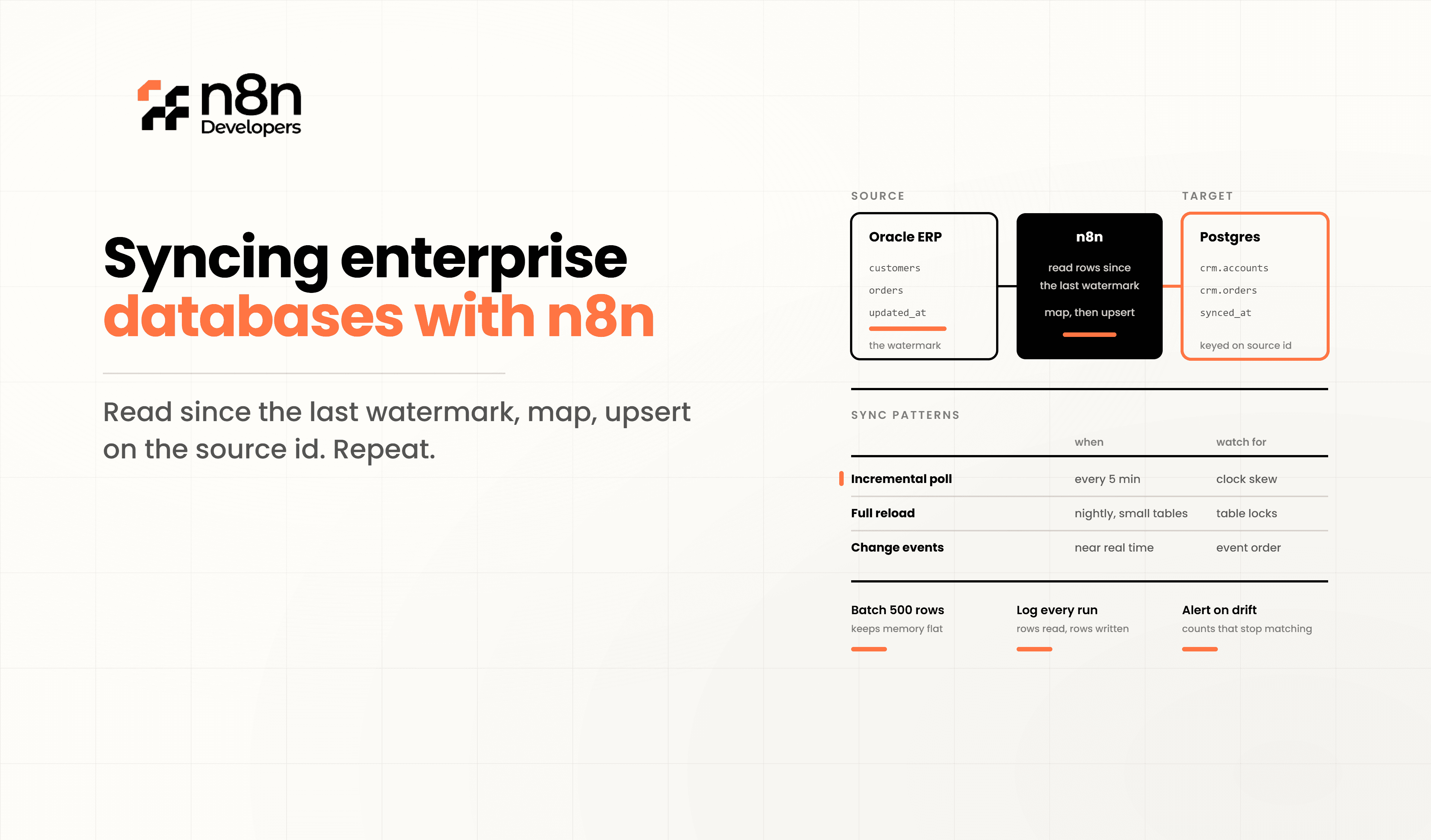
Syncing Enterprise Databases with n8n
Modern businesses often store information across multiple systems such as CRM platforms, ERP software, finance applications, inventory management tools, and customer databases. Keeping this data synchronized manually is **n8n** time-consuming and increases the chances of inconsistent records. Syncing Enterprise Databases with n8n provides an automation-first approach that connects different databases, APIs, and enterprise applications without writing large amounts of custom integration code.
Whether your organization uses MySQL, PostgreSQL, SQL Server, Oracle, MongoDB, or cloud databases, allows developers to build reliable workflows that automatically move, validate, and update data across systems while reducing operational overhead.
Why Enterprise Database Synchronization Matters
Data is valuable only when it remains accurate across every application. When databases become unsynchronized, organizations face issues including:
Duplicate customer records
Incorrect inventory values
Delayed financial reporting
Outdated CRM information
Manual data entry errors
Reduced operational efficiency
Automated synchronization ensures every connected application receives updated information in near real time.
Common Enterprise Database Architecture
A typical enterprise environment may include multiple systems working together.
CRM Database
│
▼
n8n Workflow
│
┌──────────────┐
│ Data Mapping │
└──────────────┘
│
┌────┴─────┐
▼ ▼
ERP DB Finance DB
│
▼
Analytics Database
Instead of creating separate scripts for every integration, one workflow can manage the entire synchronization process.
How n8n Synchronizes Enterprise Databases
A synchronization workflow generally follows these steps:
Detect new or updated records.
Retrieve source database data.
Validate required fields.
Transform data formats.
Match destination schema.
Update or insert records.
Generate execution logs.
Send notifications if failures occur.
This automation minimizes human intervention while maintaining data consistency.
Supported Enterprise Databases
n8n supports integration with many enterprise technologies through native nodes, APIs, and SQL connections, including:
MySQL
PostgreSQL
Microsoft SQL Server
MariaDB
MongoDB
Oracle Database
Airtable
Supabase
Google BigQuery
Snowflake
Developers can also connect almost any database using REST APIs, GraphQL, or custom HTTP requests.
Example Database Synchronization Workflow
Cron Trigger
│
▼
Read Source Database
│
▼
Filter Updated Records
│
▼
Transform Data
│
▼
Update Destination Database
│
▼
Generate Logs
│
▼
Slack / Email Notification
This workflow can execute every minute, hourly, or based on webhook events depending on business requirements.
Data Transformation Before Synchronization
Enterprise applications rarely use identical database structures. Before data reaches the destination system, developers often perform transformations such as:
Field mapping
Date formatting
Currency conversion
JSON parsing
Duplicate removal
String normalization
Lookup table matching
ID generation
These transformations ensure compatibility between different enterprise systems.
Improving Reliability
Reliable automation requires more than moving data from one database to another. Best practices include:
Retry failed operations automatically
Use transaction-based updates
Store execution history
Create detailed error logs
Validate mandatory fields
Prevent duplicate inserts
Monitor workflow execution
Encrypt sensitive credentials
These practices significantly reduce synchronization failures.
Security Considerations
Enterprise database synchronization should always include security controls such as:
SSL database connections
Environment variables for credentials
API authentication
Role-based access control
Audit logs
Backup strategies
Network restrictions
Secret management
Security should be integrated into every workflow rather than added later.
Performance Optimization
Large enterprise databases may contain millions of records. Performance can be improved by:
Processing records in batches
Incremental synchronization
Parallel workflow execution
Queue processing
Pagination
Database indexing
Filtering only changed records
Scheduled synchronization windows
These techniques reduce processing time while lowering database load.
Real Business Use Cases
Organizations use n8n database synchronization for many enterprise scenarios.
CRM to ERP synchronization
ERP to accounting software
Inventory updates across warehouses
HR employee synchronization
Customer support database updates
Marketing platform synchronization
Sales reporting automation
Data warehouse population
Multi-region database replication
Legacy application integration
Technical Example
const updatedRecord = {
customerId: item.id,
name: item.name,
email: item.email,
updated_at: new Date().toISOString()
};
return updatedRecord;
This example prepares a standardized object before sending it to another enterprise database.
Why Choose Professional n8n Development
Large-scale database synchronization involves workflow architecture, API management, database optimization, security, monitoring, and long-term maintenance. Working with a Hire n8n agency helps organizations design scalable automation that supports business growth while reducing operational costs.
In the middle of your automation journey, N8n Developers delivers Information technologies and developers with enterprise-grade workflow solutions, secure integrations, database automation, API connectivity, monitoring, and long-term workflow optimization for businesses of every size.
Benefits of Automated Database Synchronization
Reduces manual work
Improves data accuracy
Eliminates duplicate records
Supports real-time updates
Simplifies enterprise integration
Increases operational efficiency
Enhances reporting accuracy
Scales with business growth
Lowers maintenance costs
Improves decision-making
Syncing Enterprise Databases with n8n enables organizations to automate complex data movement between multiple enterprise systems using flexible workflows, secure integrations, and scalable architecture. Instead of maintaining custom synchronization scripts, businesses can centralize their automation, reduce manual errors, and improve data consistency across every department.
If your organization needs enterprise-grade automation, API integrations, database synchronization, or workflow optimization, our Information technologies and developers team can design reliable solutions tailored to your infrastructure. Hire n8n agency today to build scalable automation that grows with your business.
Call to Action
Looking to automate enterprise database synchronization?
Our experienced developers build secure, scalable, and high-performance workflow solutions for businesses of all sizes.
Contact us today to Hire n8n agency and modernize your enterprise automation with n8n.
Frequently Asked Questions
It automatically keeps data consistent across multiple business databases.
Yes, it supports MySQL, PostgreSQL, SQL Server, and many other databases.
Automation reduces manual work, errors, and improves data accuracy.
Yes, it supports scalable, secure, and highly customizable enterprise automation.
A professional agency delivers secure, optimized, and scalable automation solutions.

