
n8n for Ops Managers: Automating Without Engineering
Sasha Ray
22nd Sep, 2026
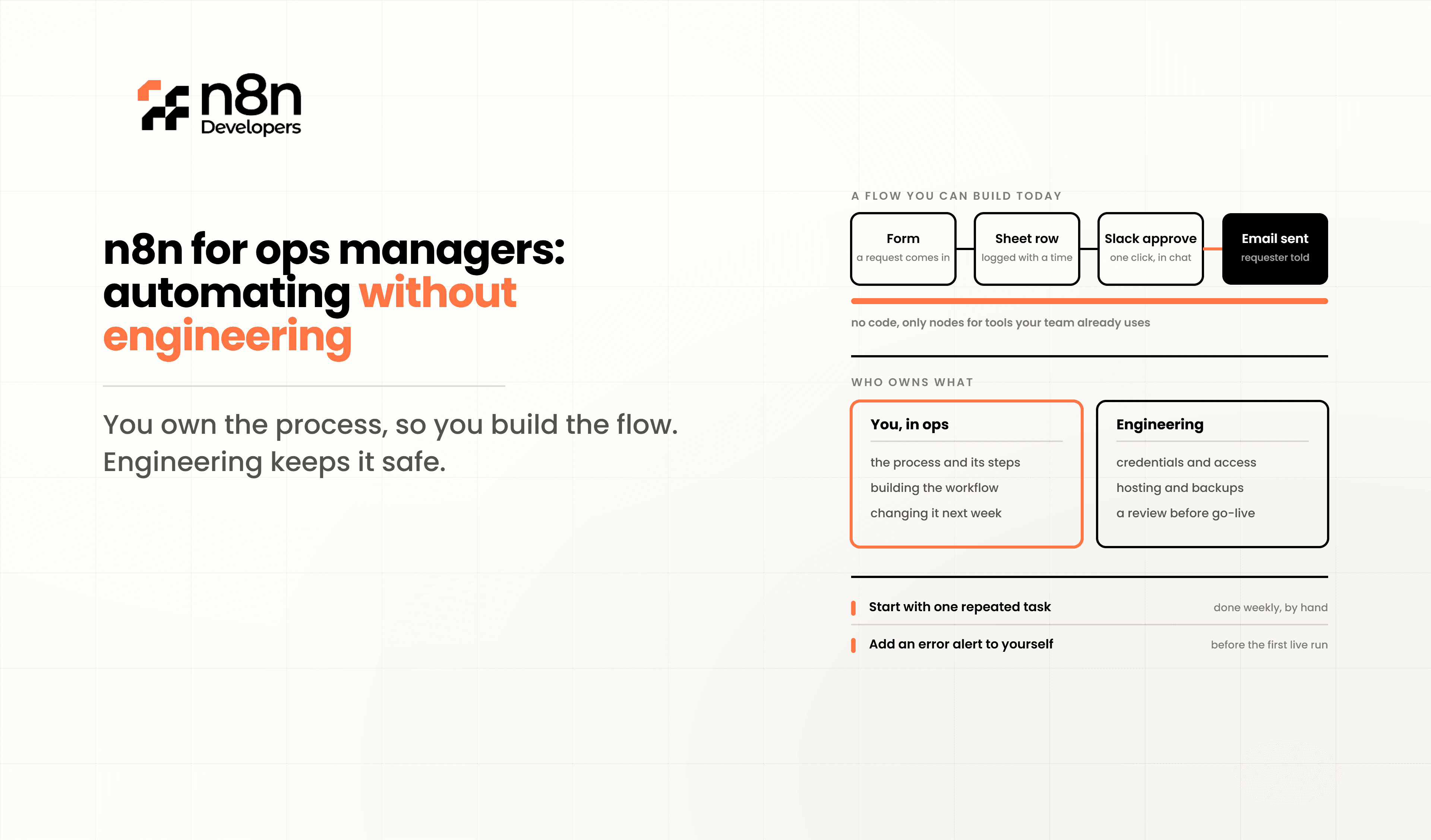
n8n for Ops Managers
You have a process that runs on three spreadsheets, a shared inbox, and someone remembering to check a folder every morning. IT has a roadmap that does not include you for two quarters. n8n for ops managers is appealing because it looks like the way out — a visual canvas, hundreds of integrations, and no ticket queue.
Most of that is true. What the marketing does not say is that n8n is low-code, not no-code, and the difference will find you somewhere around your fourth workflow. This guide is an honest map: what you can genuinely build and own without engineering support, where the wall is, what it costs, and how to build in a way that does not create a mess someone has to clean up later. Ops teams that scale past that wall commonly Hire n8n Developers for the hard twenty percent while keeping the rest in-house — which is usually the right split.
Why Ops Teams Choose n8n Over Zapier
The honest comparison: Zapier is easier. If your automation needs are simple and your budget is flexible, Zapier will get you there faster with less frustration.
Teams move to n8n for specific reasons:
Pricing model.
n8n bills by workflow execution, not by task or step. One complete run of a workflow counts as one execution regardless of how many steps it contains. On task-based platforms, a twelve-step workflow costs twelve times a one-step workflow.
Any API, not just supported apps.
When your warehouse system or regional payment provider has no prebuilt connector, n8n's HTTP Request node still reaches it.
Real branching and logic.
Conditional paths, loops, and data transformation that would need workarounds elsewhere.
Self-hosting as an option.
If your IT team requires data to stay on your infrastructure, that path exists.
Ownership.
Workflows are portable, inspectable, and yours.
The trade-off is a steeper learning curve and more responsibility for correctness. n8n will happily let you build something that silently fails.
What You Can Realistically Build Alone
Be encouraged: this list is longer than most people expect.
Scheduled reports pulled from a database or API and posted to Slack or email
Form submissions routed into a CRM, spreadsheet, or ticketing system
Cross-tool notifications when a record changes state
Data moved between two systems on a schedule
Approval chains using email or Slack with a Wait node
Simple document generation and distribution
Alerts when a metric crosses a threshold
Deduplicating and cleaning list data
Meeting notes summarised by an AI node and filed automatically
Onboarding checklists triggered by a new record
These share a shape: one trigger, a handful of steps, a clear success condition, and low consequences if a run fails. That is the zone where an ops manager working alone is genuinely productive.
Where the Technical Wall Actually Is
It is not where people expect. Connecting apps is easy. The wall is data shape.
Expressions and the item model. n8n passes data between nodes as a list of items, and you reference fields with expressions like {{ $json.email }}. The moment your data is nested — an order containing line items, a response containing an array of results — you need to understand the difference between an item and a field inside an item. This is the single most common point at which ops managers get stuck, and it is a genuine programming concept wearing a friendly interface.
Arrays and loops. "Do this for each row" seems obvious and involves the Loop Over Items node, understanding what one iteration receives, and knowing why your node ran once instead of fifty times.
API authentication beyond OAuth. Clicking "Connect" on a supported app is fine. Configuring a custom header, an API key in a specific format, or a token that needs refreshing is not.
Error handling. Knowing that a workflow can fail silently, and building the path that tells someone, is a discipline rather than a skill. Most ops-built workflows have none.
Anything involving correctness under load. If the same event can arrive twice, or two workflows can touch the same record simultaneously, you are in engineering territory whether or not the canvas looks friendly.
None of this means stop. It means recognise the boundary rather than grinding against it for three days.
Understanding What It Will Cost
This is where ops managers get surprised, and it is entirely predictable once you see it.
n8n Cloud bills per execution — one full workflow run, regardless of step count or data volume. That is excellent for complex workflows and expensive for frequent ones.
The trap is scheduled polling. A workflow checking for new records every fifteen minutes runs roughly 2,880 times a month. Four such workflows and you have consumed more than 11,000 executions before any of them have done anything useful. Entry-level plans include allowances in the low thousands.
Two practical consequences:
Prefer webhooks over polling wherever the source system supports them. A webhook fires when something happens. A schedule fires whether anything happened or not. This single choice often changes which plan you need.
Lengthen polling intervals. Most "every five minutes" schedules exist because five minutes was the default, not because the business needs five-minute latency. Hourly is frequently fine and costs twelve times less.
Also watch concurrency rather than only monthly volume. Plans cap how many executions can run simultaneously, and a burst of webhooks can hit that ceiling well before the monthly limit. And note that pricing terms have changed more than once recently, so check the official pricing page rather than trusting any summary, including this one.
Using the AI Builder Sensibly
n8n includes an AI Assistant and AI Builder on paid plans, with monthly credit allowances. For a non-engineer these are genuinely useful, and they have a specific failure mode.
They are excellent at producing a workflow skeleton — the right nodes, roughly connected, with plausible configuration. They are much less reliable at the expression logic and the edge cases, which is exactly the part you find hardest to verify.
Use it to get to a starting point, then test every branch yourself with real data. A generated workflow that looks correct and has never been run against a failure case is not finished. The AI got you past the blank canvas, which is worth a lot; it did not do the quality control.
Real Operational Scenarios
Finance Operations
Invoice reminders, payment reconciliation alerts, and expense report routing. Mostly scheduled and low-risk. Good first territory — but bring in help before anything writes to the accounting system.
HR and People Ops
Onboarding checklists, document collection, interview scheduling, and equipment requests. Highly automatable. Note that employee data may fall under privacy obligations, so involve whoever owns that in your organisation.
Customer Operations
Ticket routing, SLA breach alerts, and CSAT follow-ups. Webhook-driven, which suits the pricing model well. Escalate before anything sends automated messages to customers at volume.
Sales Operations
Lead routing, data hygiene, pipeline reporting, and CRM enrichment. The most common ops-owned use case and generally safe, provided duplicate handling is thought through.
Supply Chain and Inventory
Reorder alerts, supplier notifications, and stock reporting. Reporting and alerting are fine to own. Anything writing stock levels back to a system of record needs engineering involvement, because correctness matters more than convenience.
When to Bring in a Developer
There is a clear line, and it is worth agreeing internally before you cross it rather than after.
Escalate when the workflow:
Moves money, or triggers anything that does
Handles personal, health, or financial data subject to regulation
Sends messages to customers at volume
Writes to a system of record where wrong data is expensive to unwind
Must handle the same event arriving twice without doing the work twice
Needs to run reliably during your busiest period
Has grown past roughly twenty nodes
Nobody but you can explain
That last one is the most important and the least technical. A workflow only one person understands is an operational risk regardless of how well it works.
Why Ops Teams Bring in Professional Support
The pattern that works is not handing everything to engineering. It is ops owning the workflows they use daily, with developers building the foundations — the reusable sub-workflows for common lookups, the error handling and alerting layer, the credential setup, the naming and documentation conventions — and handling the ten percent that genuinely needs them.
At this stage, many teams Hire n8n Developers to establish that foundation and to be available for the hard workflows, rather than to take over the whole function. Ops keeps its speed, and the automation estate stays maintainable.
Best Practices for Ops-Owned Automation
Follow these and your automation estate stays an asset:
Name workflows so someone else can tell what they do without opening them.
Add a sticky note in every workflow explaining its purpose, owner, and what to do if it breaks.
Configure an Error Workflow so failures notify someone rather than vanishing.
Test with real data, including the messy cases, not just a clean example.
Use webhooks over schedules wherever possible, for cost and for latency.
Never paste credentials into a node — use n8n's credential store.
Deactivate rather than delete when retiring a workflow, so you can see what it did.
Keep one owner per workflow and review ownership when people change roles.
Build a register of what exists, what it touches, and who depends on it.
Ask for help at three days stuck, not three weeks.
The register matters more than it sounds. The most common failure in ops-led automation is not a broken workflow — it is forty workflows nobody has an inventory of, running against credentials belonging to someone who left.
Scaling Ops Automation Responsibly
As your estate grows past a dozen workflows, the useful additions are organisational rather than technical:
Folders and projects to separate team areas
Role separation between people who build and people who only view
A shared set of reusable sub-workflows for common lookups
A standard naming convention applied consistently
A monthly review of failed executions
An agreed escalation path to engineering
A staging environment for anything business-critical
Most of these cost nothing but agreement. They are the difference between an automation programme and an accumulation of scripts.
Why Choose N8n Developers?
N8n Developers works with operations teams who want to build their own automation and need a solid foundation under it. We set up instances, credential architecture, error handling and alerting, and reusable components, then build the workflows that genuinely need engineering — integrations with awkward APIs, anything touching regulated data, and anything that has to be correct rather than merely convenient. We also train ops teams to own the rest. Whether you need an existing estate reviewed and tidied, one difficult integration built, or ongoing support as your automation grows, we work alongside your team rather than replacing it.
Future of Ops-Led Automation
The direction is toward ops teams doing more, not less. AI-assisted workflow building is closing the gap between describing a process and having a working draft of it, and the purpose-built nodes arriving each release remove logic that previously needed code.
What is not closing is the gap between a workflow that runs and a workflow that is safe to depend on. Error handling, idempotency, and governance are still judgement calls, and they are still where automation programmes succeed or quietly fail.
Ops leaders planning for this frequently Hire n8n Developers to put that foundation in place early, so their teams can build fast without accumulating risk.
If your ops team is building automation and starting to hit the limits, or you want a foundation in place before you scale, our team can help. Hire n8n Developers today to set up your instance properly and handle the workflows that need engineering.
Getting value from n8n for ops managers starts with an honest boundary. You can own scheduled reports, form routing, notifications, approvals, and data movement between systems — that is most of what slows your team down. Where it gets hard is nested data, loops, custom authentication, and anything that must be correct rather than merely working. Choose webhooks over schedules to control cost, put error handling on everything, keep a register of what exists, and agree in advance when a workflow stops being yours to build. Done that way, ops-led automation compounds instead of accumulating.
Frequently Asked Questions
Yes, for a substantial range of workflows. n8n is low-code rather than no-code, and you will eventually need to understand expressions and how data is structured between nodes.
Yes. It is more capable and more flexible, and it asks more of you in return. Teams choose it for the pricing model, the API reach, and the logic it supports.
Cloud plans bill per workflow execution — one full run, regardless of how many steps it has. Frequent scheduled workflows consume allowances far faster than complex ones.
For getting past a blank canvas, yes. Test every branch yourself afterwards, because the generated logic and edge-case handling need verification you cannot skip.
When the workflow touches money, regulated data, customers at volume, or a system of record — or when nobody but you understands it.
To build the foundation and the difficult workflows, so your team can safely own everything else without accumulating hidden risk.

