
How to Connect Claude AI and n8n for Automation Guide
Sasha Ray
2nd Oct, 2026
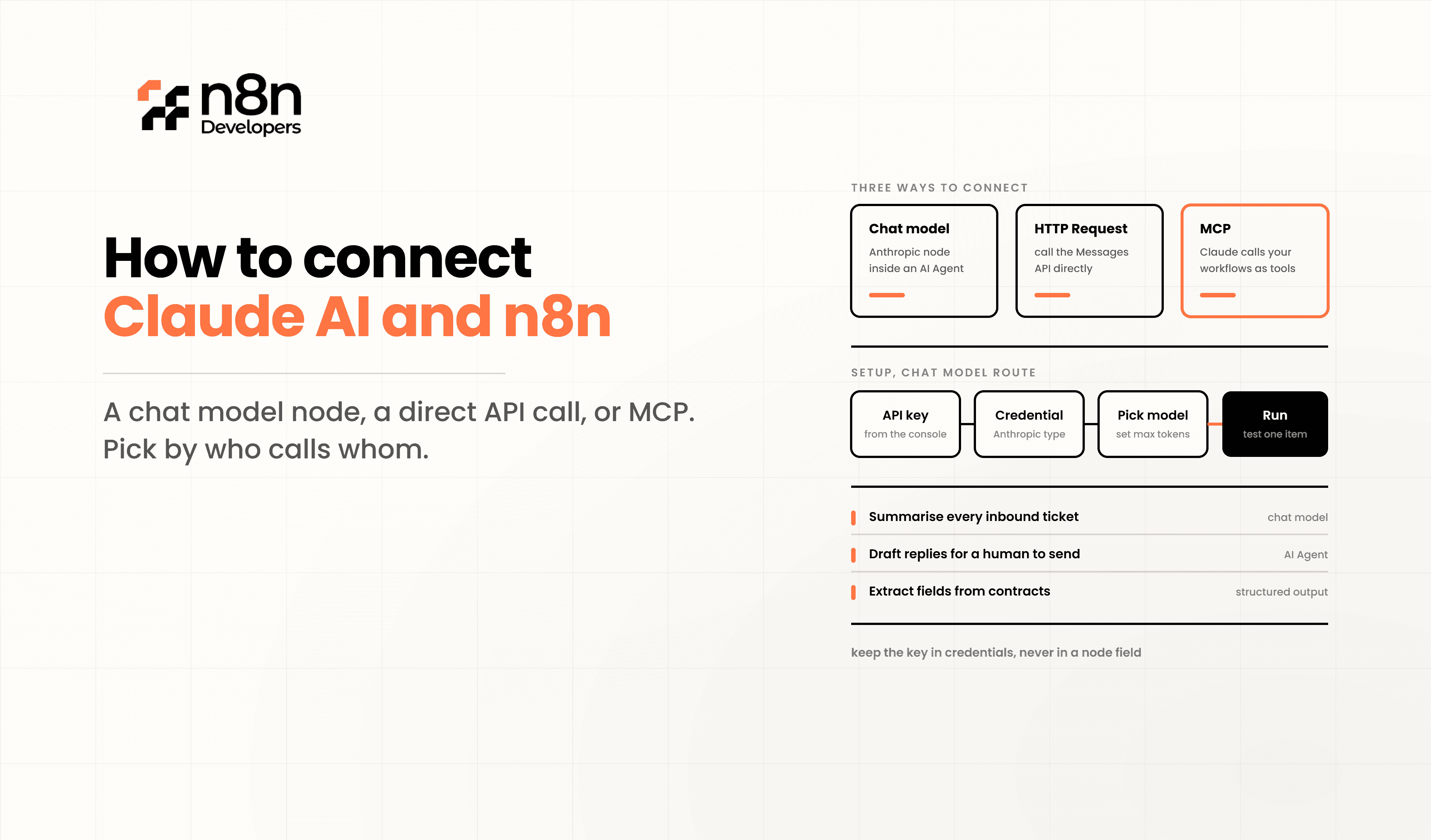
How to Connect Claude AI and n8n
Artificial intelligence is changing how businesses manage repetitive work, customer communication, and data processing. One of the most effective combinations is n8n, allowing organizations to build intelligent workflows without creating complex software from scratch. Whether you want to summarize documents, generate reports, classify customer requests, or automate business operations, this integration provides flexibility while reducing manual effort.
The combination of Claude AI and n8n makes it possible to create automation that responds intelligently to events occurring across multiple applications. Instead of switching between platforms or manually copying information, businesses can let workflows handle these tasks automatically.
Companies looking to speed up implementation often choose to Hire n8n Expert professionals who can design secure, scalable, and production-ready automation tailored to business requirements.
Why Connect Claude AI with n8n?
Claude AI provides advanced language understanding and text generation capabilities, while n8n serves as an automation platform that connects APIs, databases, cloud services, CRMs, ERPs, messaging platforms, and business applications.
Together they can automate:
Customer support responses
Email classification
Lead qualification
AI-powered document summaries
Meeting note generation
Knowledge management
Internal approval workflows
Automated reporting
Content generation
Data enrichment
Instead of employees performing repetitive operations, workflows automatically trigger AI processing whenever new data becomes available.
System Requirements
Before starting the integration, ensure you have:
Claude API Key
Active Claude account
Self-hosted or cloud n8n
HTTPS endpoint
Internet access
Database (optional)
CRM or ERP system (optional)
Webhook endpoint
Authentication credentials
Having these components prepared makes deployment much smoother.
Step 1: Generate Your Claude API Key
Log in to your Claude developer account and create a secure API key.
This API key authenticates every request sent from your automation workflow.
Always store the key using environment variables or encrypted credentials instead of placing it directly inside workflow nodes.
Step 2: Configure n8n Credentials
Inside the automation platform:
Create new credentials
Select HTTP authentication
Store your Claude API Key securely
Test the connection
Save credentials
Credential management helps keep sensitive information protected while allowing multiple workflows to reuse the same secure configuration.
Step 3: Create the Workflow
A typical workflow begins with a trigger.
Possible triggers include:
Webhook request
New CRM record
Email received
Form submission
Database update
Slack message
Scheduled execution
API request
Once triggered, the workflow prepares the incoming data before sending it to Claude AI.
Step 4: Send API Requests
The HTTP Request node communicates with Claude's API.
Typical configuration includes:
POST request
Authentication header
JSON body
User prompt
Maximum tokens
Model selection
Temperature settings
The API returns structured responses that can immediately continue through the workflow.
Step 5: Process Claude AI Responses
Once Claude generates its response, automation can perform additional business logic such as:
Update CRM
Save to database
Send notification emails
Generate PDF reports
Update spreadsheets
Notify Microsoft Teams
Create Jira tickets
Archive documents
This creates fully automated business operations without manual intervention.
Example Business Workflow
A customer submits a support request through a website.
The workflow automatically:
Receives the form
Extracts customer information
Sends the issue to Claude AI
Generates a summarized response
Classifies priority
Creates a helpdesk ticket
Sends an email reply
Updates CRM records
Alerts the support team
The entire process completes within seconds.
Security Best Practices
When connecting AI services, security should always remain a priority.
Recommended practices include:
Encrypt API credentials
Enable HTTPS
Validate webhook requests
Restrict API permissions
Monitor workflow execution
Rotate API keys regularly
Maintain audit logs
Apply rate limiting
Protect sensitive customer data
Following these practices helps ensure compliance and reliability.
Performance Optimization Tips
To achieve better workflow performance:
Minimize unnecessary API calls
Cache repeated responses
Use conditional routing
Handle errors gracefully
Enable retry logic
Batch multiple requests
Monitor execution time
Optimize prompt size
Reduce token usage
Efficient workflows reduce infrastructure costs while improving response times.
Real-World Use Cases
Businesses across industries use Claude AI with automation to improve productivity.
Popular implementations include:
HR resume screening
Finance report generation
Healthcare documentation
Legal document summaries
Marketing content creation
Customer support automation
Sales proposal generation
Inventory reporting
Knowledge base search
Internal AI assistants
Each workflow can be customized according to organizational requirements.
Developer Benefits
Developers gain several advantages when integrating Claude AI into automation workflows:
Faster deployment
Reduced coding effort
Scalable architecture
Flexible API integrations
Easier maintenance
Reusable workflow templates
Centralized monitoring
Lower operational costs
This approach allows teams to focus on innovation instead of repetitive development work.
Common Mistakes to Avoid
Skipping error handling:
Always add error-handling nodes so failed API calls don't break your entire n8n workflow
Overloading prompts:
Keep prompts clear and focused for consistent, accurate Claude AI responses
Ignoring rate limits:
Monitor your API usage to avoid hitting Anthropic's rate limits during high-volume automation
Hardcoding data:
Use dynamic expressions instead of static values so your n8n workflow scales properly
Why Work with Experts?
Although basic integrations are straightforward, enterprise implementations often require authentication, security policies, custom APIs, ERP integrations, CRM synchronization, database management, and high-availability architecture.
N8n Developers specializes in Information technologies and developers, helping businesses design secure AI automation solutions that integrate seamlessly with existing systems. If you plan to scale automation across departments, it's a smart decision to Hire n8n Expert professionals who can build reliable, maintainable, and future-ready workflows.
Learning How to Connect Claude AI and n8n enables businesses to automate intelligent decision-making, reduce manual work, and improve operational efficiency. From customer service and reporting to document processing and enterprise integrations, this combination offers a practical foundation for modern AI automation. Whether you're building a simple workflow or a complex enterprise solution, partnering with experienced professionals can accelerate deployment and ensure long-term success.
Ready to automate your business with Claude AI? Hire n8n Expert from our team today. We provide Information technologies and developers for AI automation, API integrations, workflow development, CRM, ERP, and enterprise automation solutions tailored to your business goals.
Frequently Asked Questions
It connects Claude AI with automation workflows to perform intelligent business tasks automatically.
Basic API knowledge helps, but many workflows can be created using visual automation tools.
An expert ensures secure, scalable, and optimized automation for business-critical workflows.
Yes, through API workflows it can connect with most modern CRM and ERP platforms.
Yes, it supports secure, scalable automation for organizations of all sizes.

