
Docker vs Kubernetes for n8n Deployment
Sasha Ray
8th Oct, 2026
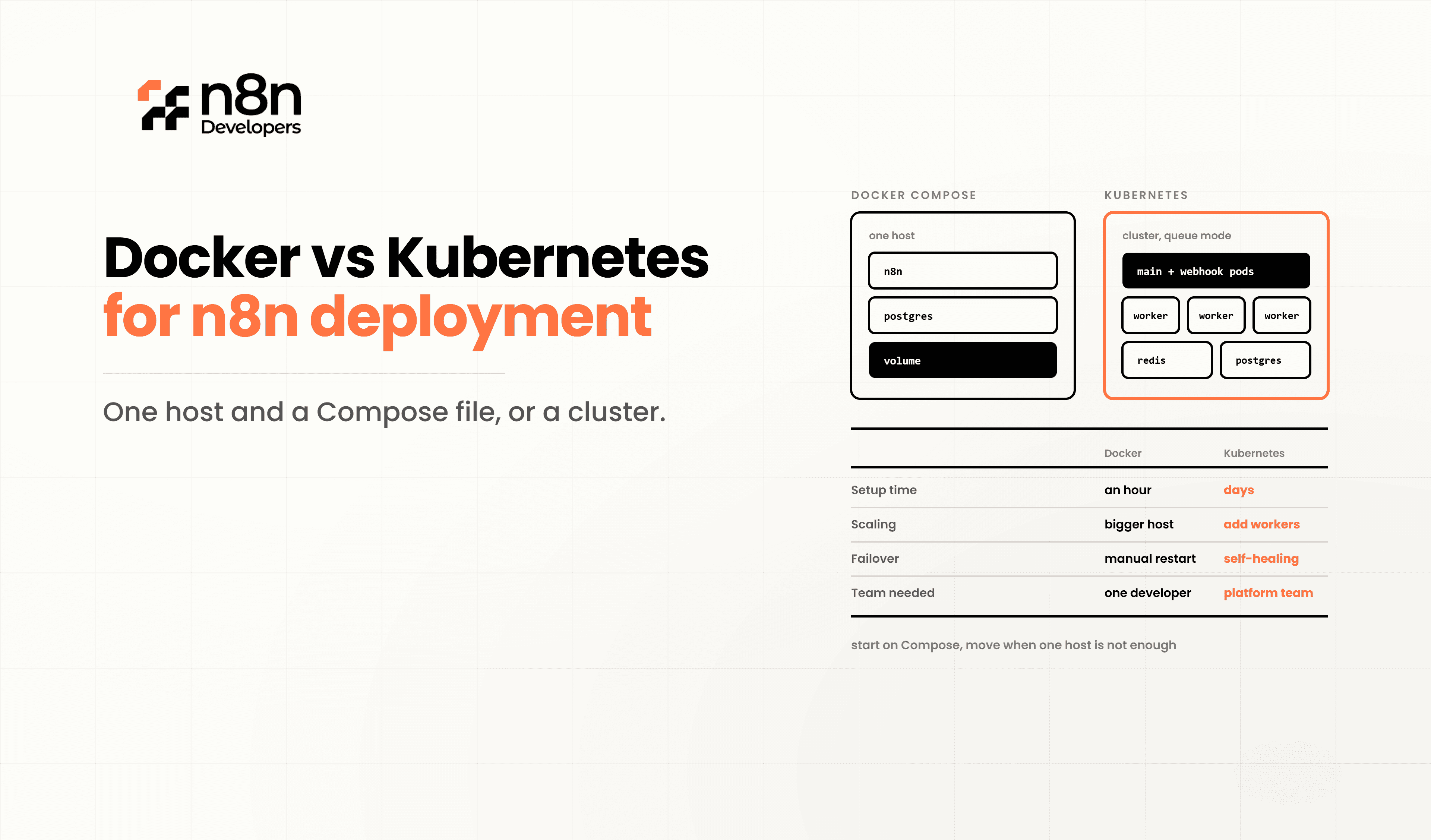
Docker vs Kubernetes for n8n Deployment
Modern automation platforms require reliable deployment strategies to maintain performance, security, and scalability. **Kubernetes for n8n** is one of the most common comparisons businesses face when planning workflow automation infrastructure. Whether you're building internal business workflows or enterprise-grade automation systems, selecting the right deployment platform directly impacts uptime, maintenance, and future growth.
For small projects, Docker provides a lightweight and straightforward deployment approach. As automation requirements increase, Kubernetes becomes a preferred solution because it offers advanced orchestration, automatic scaling, and high availability.
If you're planning long-term automation, working with a helps ensure your infrastructure is designed correctly from the beginning, avoiding costly migrations later.
Understanding Docker Deployment
Docker packages applications and their dependencies into portable containers. This allows developers to deploy automation workflows consistently across development, testing, and production environments.
Benefits include:
Quick installation
Minimal server configuration
Easy upgrades
Consistent environments
Lower infrastructure costs
A Docker deployment usually consists of:
Docker Engine
Docker Compose
PostgreSQL
Redis (optional)
Reverse Proxy
SSL Certificates
For startups and small businesses, Docker offers an excellent balance between simplicity and performance.
Understanding Kubernetes Deployment
Kubernetes is a container orchestration platform designed to manage multiple containers across clusters of servers.
Instead of manually managing containers, Kubernetes automates:
Container scheduling
Load balancing
Health monitoring
Automatic recovery
Rolling updates
Horizontal scaling
Secret management
Organizations running mission-critical automation generally prefer Kubernetes because downtime is significantly reduced through automated recovery mechanisms.
Docker Architecture for Automation
A typical Docker architecture includes:
Internet
│
NGINX Reverse Proxy
│
Docker Compose
│
────────────────────────
n8n Container
PostgreSQL
Redis
Volumes
────────────────────────
Linux Server
This setup is relatively simple to configure and maintain.
Kubernetes Architecture
Enterprise environments typically follow this structure:
Load Balancer
│
Ingress Controller
│
Kubernetes Cluster
──────────────────────────
Pod 1 (n8n)
Pod 2 (n8n)
Pod 3 (n8n)
──────────────────────────
Persistent Storage
PostgreSQL Cluster
Redis Cluster
Monitoring
Logging
The cluster continues serving requests even if individual pods fail.
Docker vs Kubernetes Comparison
Feature | Docker | Kubernetes |
Setup Complexity | Easy | Advanced |
Cost | Lower | Higher |
Scalability | Limited | Excellent |
High Availability | Manual | Built-in |
Auto Healing | No | Yes |
Load Balancing | Basic | Advanced |
Security | Good |
Performance Comparison
Docker performs exceptionally well for:
Small automation projects
Internal workflows
Development environments
Proof-of-concept deployments
Kubernetes performs better for:
Enterprise automation
Large workflow volumes
Multiple development teams
Global deployments
High-availability environments
Resource Utilization
Docker requires fewer system resources because it has minimal orchestration overhead.
Kubernetes consumes additional CPU and memory due to components such as:
API Server
Scheduler
Controller Manager
etcd
Monitoring tools
The additional resources provide automation, resilience, and scalability.
Scaling Workflows
Docker scaling generally requires manual intervention.
Example:
docker compose up --scale worker=5
Kubernetes scales automatically based on workload.
Example:
kubectl autoscale deployment automation \
-cpu-percent=70 \
-min=2 \
-max=10
This makes Kubernetes ideal for businesses experiencing fluctuating workflow traffic.
Security Considerations
Security is critical when deploying automation platforms.
Docker security best practices include:
Running non-root containers
Using official images
Enabling TLS
Restricting exposed ports
Regular image updates
Kubernetes provides additional enterprise security through:
Role-Based Access Control
Network Policies
Secrets Management
Pod Security Standards
Namespace Isolation
N8n Developers Present
Growing businesses often outgrow basic container deployments as workflow complexity increases. N8n Developers professional Information technologies and developers who design secure automation environments, optimize infrastructure, and help organizations choose between Docker and Kubernetes based on business goals, scalability requirements, and operational budgets. Whether you need migration planning or want to Hire n8n consultant, experienced specialists can build reliable automation solutions for long-term success.
Which Deployment Should You Choose?
Choose Docker if you:
Have a single server
Want quick deployment
Have a limited budget
Manage a small team
Run moderate automation workloads
Choose Kubernetes if you:
Need high availability
Run enterprise applications
Expect rapid growth
Require automatic scaling
Need advanced monitoring
There is no universally better option. The right choice depends on workload size, operational expertise, and business objectives.
Best Practices
To maximize deployment reliability:
Use PostgreSQL instead of SQLite.
Enable HTTPS with SSL certificates.
Schedule automated backups.
Monitor CPU, memory, and storage.
Keep container images updated.
Store secrets securely.
Use persistent storage volumes.
Test upgrades in staging before production.
Following these practices helps create a stable and secure automation platform.
**Kubernetes for n8n** ultimately comes down to your organization's scale and operational needs. Docker offers simplicity, lower costs, and rapid deployment for smaller environments, while Kubernetes provides enterprise-grade scalability, resilience, and automation for large production workloads.
If your organization plans to expand automation across multiple departments, investing in Kubernetes from the start may reduce future migration efforts. For smaller teams seeking fast deployment and easy maintenance, Docker remains an excellent choice. When planning architecture or scaling automation, partnering with a Hire n8n consultant ensures the deployment aligns with your business goals and technical requirements.
Looking to deploy automation with confidence? Our Information technologies and developers specialize in designing secure, scalable workflow solutions. Hire n8n consultant today to build, optimize, and maintain high-performance automation infrastructure tailored to your business.
Frequently Asked Questions
Docker runs containers, while Kubernetes manages and scales multiple containers automatically.
Yes, Docker is ideal for small to medium deployments with simpler infrastructure needs.
Choose Kubernetes for enterprise deployments requiring high availability and automatic scaling.
A consultant helps design secure, scalable, and efficient automation infrastructure.
Kubernetes provides better scalability through automated orchestration and resource management.

