
n8n Vector Stores Compared: pgvector, Qdrant, Pinecone
Sasha Ray
17th Sep, 2026
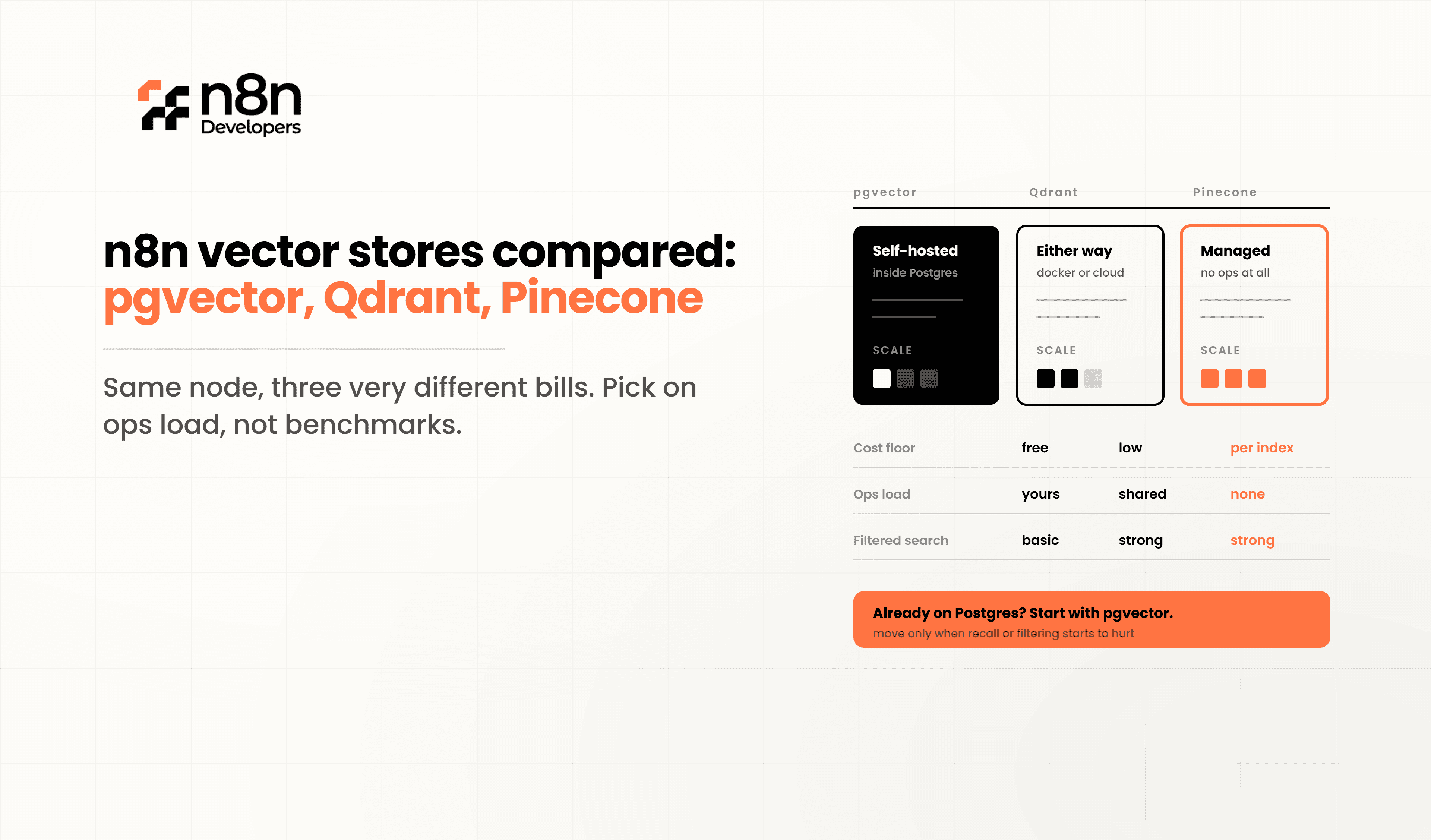
n8n Vector Stores
Every RAG workflow in n8n needs somewhere to put its embeddings, and the choice is usually made by whichever tutorial you followed first. That works until the corpus grows, the source documents start changing, or someone asks where the data physically lives. n8n vector stores differ from each other in ways that matter operationally long before they differ on retrieval quality.
n8n ships dedicated nodes for pgvector, Qdrant, Pinecone, Supabase, Weaviate, Chroma, Redis, Oracle Database, and an in-memory Simple Vector Store. This guide compares the three most commonly chosen — pgvector, Qdrant, and Pinecone — on the criteria that actually determine which one you should run. Teams building production RAG systems frequently Hire n8n Developers at the point where the prototype's vector store stops being adequate, because migrating a populated index is considerably more work than picking correctly at the start.
Why the Choice Matters More Than It Looks
At small scale all three work. A few thousand documents, a handful of queries a minute, and the differences are invisible.
The divergence appears when:
The corpus reaches millions of vectors and index memory becomes a cost line
Source documents change and embeddings need updating rather than re-inserting
Queries need filtering by tenant, date, department, or permission
Compliance requires knowing which jurisdiction the vectors are stored in
Retrieval latency starts affecting the agent's response time
Someone has to explain the monthly bill
Migrating between stores means re-embedding the entire corpus, which costs both money and time. This is a decision worth twenty minutes up front.
The n8n Node Difference Nobody Mentions
Before comparing the databases, compare the nodes — because n8n's implementations are not equivalent, and the difference is decisive for one common use case.
The Pinecone Vector Store node has five operation modes: Get Many, Insert Documents, Retrieve Documents (As Vector Store for Chain/Tool), Retrieve Documents (As Tool for AI Agent), and Update Documents.
The Qdrant and PGVector nodes have four. They do not include Update Documents.
That single missing mode shapes your architecture. If your knowledge base is built from documents that change — a policy wiki, a product catalogue, a support knowledge base — Pinecone lets you update a vector by ID directly in the node. With Qdrant or pgvector you must handle updates outside the vector store node: delete and re-insert via the HTTP Request node against the native API, or via the Postgres node for pgvector.
That is not a dealbreaker. It is extra workflow you need to know about before you design around it.
Other node-level details worth knowing:
Rerank Results
is available on these nodes and requires connecting a separate reranker node. It works with Get Many and both Retrieve modes.
Metadata Filter
is available as a node option, but expressiveness varies by backend.
pgvector supports collections
through a Use Collection toggle, which creates a separate table and column to track which collection a vector belongs to — useful for separating datasets within one database.
Advanced features are not exposed.
Hybrid search, sparse vectors, and quantization generally require the HTTP Request node against the native API rather than the vector store node. If those are core to your design, budget for building against the API directly.
pgvector
pgvector is a PostgreSQL extension. Your embeddings live in a normal table, in a normal database, alongside your relational data.
Where it wins
Operational simplicity is the whole argument, and it is a strong one. One database to back up, one to monitor, one to secure, one set of credentials. If you already run Postgres — and if you self-host n8n, you do — you are adding an extension rather than a system.
It is also the only one of the three with genuine SQL filtering. Restricting a similarity search by tenant, date range, document status, and a join against a permissions table is ordinary SQL. The other two offer metadata filtering; pgvector offers the full query language.
Transactional consistency matters more than people expect. When a document is deleted, the row and its embedding disappear in the same transaction. No orphaned vectors, no sync job.
Where it struggles
Vector search competes with your transactional workload for the same CPU and memory. Index builds are heavy. HNSW indexes want to sit in RAM, and a large corpus will push a modest instance hard.
Scaling means scaling the whole Postgres instance vertically. There is no separate elastic vector tier.
One warning specific to n8n: do not put your vector store in the same Postgres database n8n uses for its own execution data. That database already handles high write volume from execution logging, and adding index-heavy vector queries to it is a reliable way to create performance problems in both. Use a separate database, ideally a separate instance.
Qdrant
Qdrant is a purpose-built, open-source vector database written in Rust. It runs as a container you host yourself, or as Qdrant Cloud.
Where it wins
Filtering is its standout technical feature. Qdrant integrates payload filtering into index traversal rather than filtering results after retrieval, which means heavily filtered searches stay both fast and accurate. Post-filtering approaches retrieve the top matches and then discard the ones that fail the filter — which can leave you with two results when you asked for ten.
Memory efficiency through quantization is the other differentiator. Scalar, binary, and product quantization substantially reduce the memory a large index needs, which changes the hardware conversation at scale.
It is also self-hostable and open source, so vectors stay on your infrastructure. For regulated deployments this is often the deciding factor, and it is why Qdrant appears alongside Ollama and PostgreSQL in n8n's own self-hosted AI Starter Kit.
Where it struggles
It is another system to run, monitor, back up, and upgrade. That is a real cost for a small team.
No SQL. Filtering is expressive but it is Qdrant's own filter syntax, and joining against relational data means doing it in the workflow.
And, as above, no Update Documents mode in the n8n node.
Pinecone
Pinecone is a fully managed, proprietary vector database. There is no self-hosted option.
Where it wins
You do not operate it. No index tuning, no capacity planning, no upgrade windows, no on-call. For a team without infrastructure capacity, this is worth a great deal.
Its serverless architecture separates storage from compute and bills by usage rather than by provisioned instance, which suits spiky or unpredictable query volume better than a permanently sized server.
Namespaces give you clean multi-tenant separation within one index without managing separate deployments.
And it has the most complete n8n node of the three, including Update Documents.
Where it struggles
Your data leaves your infrastructure. That rules it out for many healthcare, financial, and public sector deployments regardless of its technical merits, and it is a question worth settling before you evaluate anything else.
Usage-based pricing is efficient when usage is modest and unpredictable when it is not. Model your expected read and write volume before committing, because the cost profile differs fundamentally from a fixed-size server.
There is no migration path that does not involve re-embedding, and being proprietary, no option to take the engine with you.
Side-by-Side Comparison
pgvector | Qdrant | Pinecone | |
Deployment | Postgres extension | Self-hosted or Cloud | Managed only |
Data location | Your infrastructure | Your infrastructure or Cloud | Vendor infrastructure |
Licence | Open source | Open source | Proprietary |
n8n node modes | 4 | 4 | 5 |
Update Documents in node | No | No | Yes |
Real Business Scenarios
Internal Documentation Assistant
A few thousand pages, moderate query volume, already running Postgres. pgvector. Adding a vector database here is complexity without benefit.
Multi-Tenant SaaS Knowledge Base
Strict per-customer isolation on every query. Qdrant's filtered search or Pinecone namespaces both work; pgvector works too if a tenant column and index are handled carefully. Decide based on scale and whether data residency is contractual.
Customer Support RAG on a Changing Knowledge Base
Articles are edited weekly. Pinecone's Update Documents mode saves real workflow complexity here. On Qdrant or pgvector, build the delete-and-reinsert path deliberately rather than discovering you need it later.
Healthcare or Financial Document Search
Self-hosted only, so Pinecone is out. Choose between pgvector and Qdrant on scale. Remember that embeddings derived from sensitive documents are themselves sensitive, and inherit the same handling requirements as the source material.
Large-Scale Semantic Product Search
Tens of millions of vectors with heavy attribute filtering. Qdrant, for the quantization and the filtered index traversal. This is the case pgvector handles least comfortably.
Prototype or Proof of Concept
The Simple Vector Store node keeps embeddings in memory with no external dependency. Ideal for demonstrating the pattern, unsuitable for anything persistent.
Why Businesses Choose Professional Implementation
Choosing a vector store is the easy part. What follows is chunking strategy, embedding model selection, metadata design, index tuning, an update pipeline for changing sources, and retrieval evaluation — and a badly designed schema is far more expensive to fix once a few million vectors depend on it.
At this stage, many businesses Hire n8n Developers to design the retrieval architecture properly, build the ingestion and update pipelines, and put evaluation in place so retrieval quality is measured rather than assumed.
Best Practices for Vector Stores in n8n
Follow these regardless of which backend you choose:
Keep vectors out of the database n8n uses for execution data.
Design metadata before ingesting — retrofitting fields means re-embedding.
Store a stable source document ID in metadata so updates and deletes are possible later.
Build the update and delete path at the same time as ingestion, not after.
Chunk with overlap and test chunk size against real queries rather than guessing.
Pin your embedding model version; changing models invalidates every existing vector.
Filter before ranking where the backend supports it.
Add reranking when top-k results are relevant but poorly ordered.
Build a small evaluation set of real questions with known-correct sources, and run it after any change.
Monitor index size and query latency as first-class metrics.
Reserve the Simple Vector Store for prototypes only.
The evaluation set is the one teams skip. Without it, retrieval quality changes are invisible until a user complains.
Scaling Retrieval in Production
As corpora grow past the comfortable range, mature deployments add:
Separate ingestion workflows from query workflows, with independent scaling
Incremental ingestion driven by source-system change events rather than full re-indexing
Quantization or dimensionality reduction where memory cost becomes material
Caching for repeated queries, which are more common than expected
Hybrid search combining keyword and vector retrieval for exact-match terms such as SKUs and error codes
Reranking as a second stage over a wider initial candidate set
Scheduled reconciliation to catch documents deleted at source but still indexed
That last one causes real problems. A deleted document that remains in the index will keep being cited by your agent, confidently, until someone notices.
Why Choose N8n Developers?
N8n Developers provides engineers who build production RAG and retrieval systems on n8n. From vector store selection and metadata schema design to ingestion pipelines, update handling, hybrid search, reranking, and retrieval evaluation, our team builds systems that stay accurate as the corpus grows and changes. Whether you need an existing RAG workflow diagnosed for poor retrieval quality, a knowledge base architected from scratch, or a migration between vector stores handled cleanly, we build for maintainability rather than demos.
Future of Vector Storage in n8n
The gap between purpose-built vector databases and general-purpose databases with vector extensions is narrowing. pgvector continues to improve, and the operational argument for keeping vectors alongside relational data is compelling for the large middle of the market. At the same time, purpose-built stores are advancing on the axes that matter at scale — quantization, filtered search, and hybrid retrieval.
n8n's own direction is toward richer retrieval primitives, with reranking now available directly on vector store nodes. The likely trajectory is that more native capability becomes exposed through nodes rather than requiring HTTP Request calls against provider APIs.
Organisations building on this frequently Hire n8n Developers to design retrieval architecture that can absorb a backend change without a rebuild.
If you are choosing a vector store, or your existing RAG workflow is returning poor results, our team can help. Hire n8n Developers today to design retrieval that scales with your knowledge base.
Choosing between n8n vector stores comes down to three questions asked in order. Can the data leave your infrastructure? If not, Pinecone is out. Do you already run Postgres and expect a corpus in the low millions? Then pgvector, in a separate database from n8n's own. Do you need heavy filtering, very large scale, or memory-efficient indexes? Then Qdrant. And whichever you pick, check whether its n8n node supports Update Documents before you assume you can change a document without rebuilding the index around it.
Frequently Asked Questions
There is no single best. pgvector suits teams already running Postgres, Qdrant suits large filtered workloads on your own infrastructure, and Pinecone suits teams who want no operational burden.
Technically yes, but do not. That database already handles heavy execution-log writes, and adding vector queries to it degrades both. Use a separate database.
The Qdrant and PGVector nodes have four operation modes and do not include Update Documents. Handle updates through the HTTP Request or Postgres node instead.
Usually not. It is managed-only, so vectors leave your infrastructure. Self-hosted pgvector or Qdrant are the normal choices where residency matters.
Yes, in practice. Migration means re-ingesting the corpus, which is why the initial choice deserves more thought than it usually gets.
Retrieval quality depends on chunking, metadata design, and evaluation far more than on backend choice. Experienced developers get those right the first time.

