n8n Enterprise Governance: New Security Controls Explained
Sasha Ray
23rd Jan, 2026

Scaling automation across an enterprise requires more than just powerful workflows; it requires robust governance. Without proper controls, a weak permission model can jeopardize compliance, introduce data risks, or disrupt execution volume.
To address these challenges, n8n has introduced Custom Project Roles and SSO User Provisioning. These features are designed to provide instance owners with confidence and technical teams with the flexibility they need to scale safely.
Below, we answer the most critical questions about how these features work and how they solve common enterprise governance problems.
Why is granular control necessary for scaling automation teams?
As organizations roll out n8n across multiple departments—such as developers, analysts, operations, and external contractors—simple access models often fall short. You need guardrails to ensure that users can only access the specific resources they are supposed to.
In the past, teams often faced the problem of “over-permissioning,” where a user was granted full administrative access simply because they needed to perform one specific task. This lack of granular control posed a security risk. With the new controls, you can model the software around your actual team responsibilities, ensuring users have exactly the access they need and nothing more.
How do Custom Project Roles differ from standard System Roles?
n8n comes with default “System” roles. These are labeled as such and cannot be edited or deleted.
Custom Project Roles, however, allow you to define a new, specific set of permissions that fit your unique workflows. Once you create a custom role, it becomes a reusable template that can be applied across all your projects. This ensures consistency; you can use the same role definitions multiple times, and if permissions need to change, you only need to adjust that singular role definition.
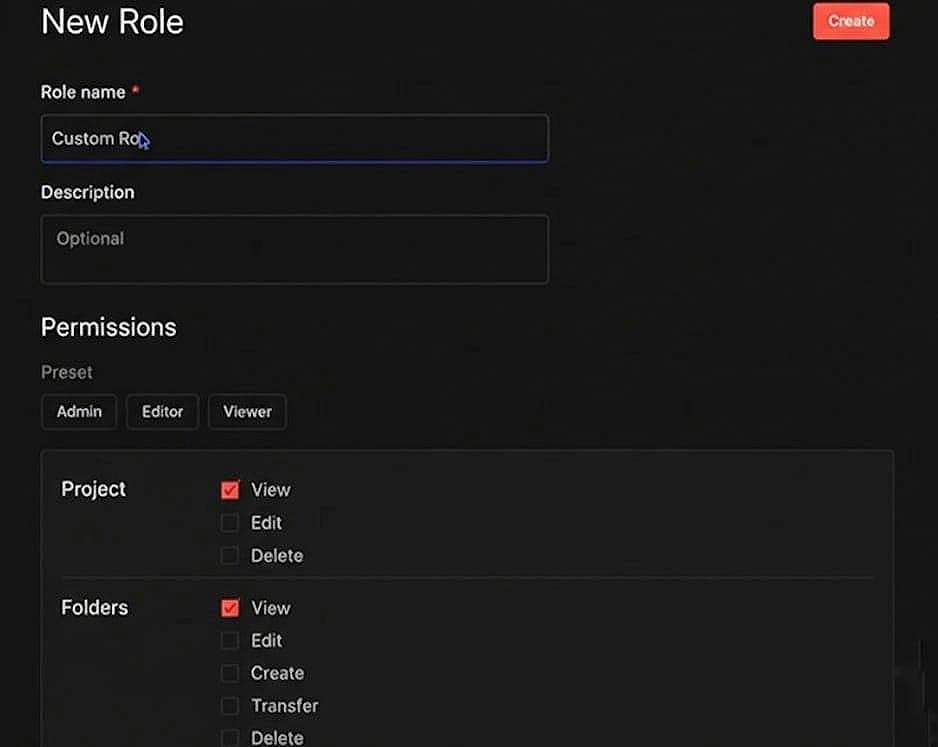
(The “New Role” interface where you can name your custom role and begin defining permissions.)
What specific resources can be managed with Custom Project Roles?
The new system offers fine-grained control over every resource inside a project. You can independently set permissions for:
• Workflows
• Credentials
• Data tables and variables
• Folders
• Source control.
For each of these resources, you can specify exactly what action a user can take: view, create, edit, delete, or transfer.
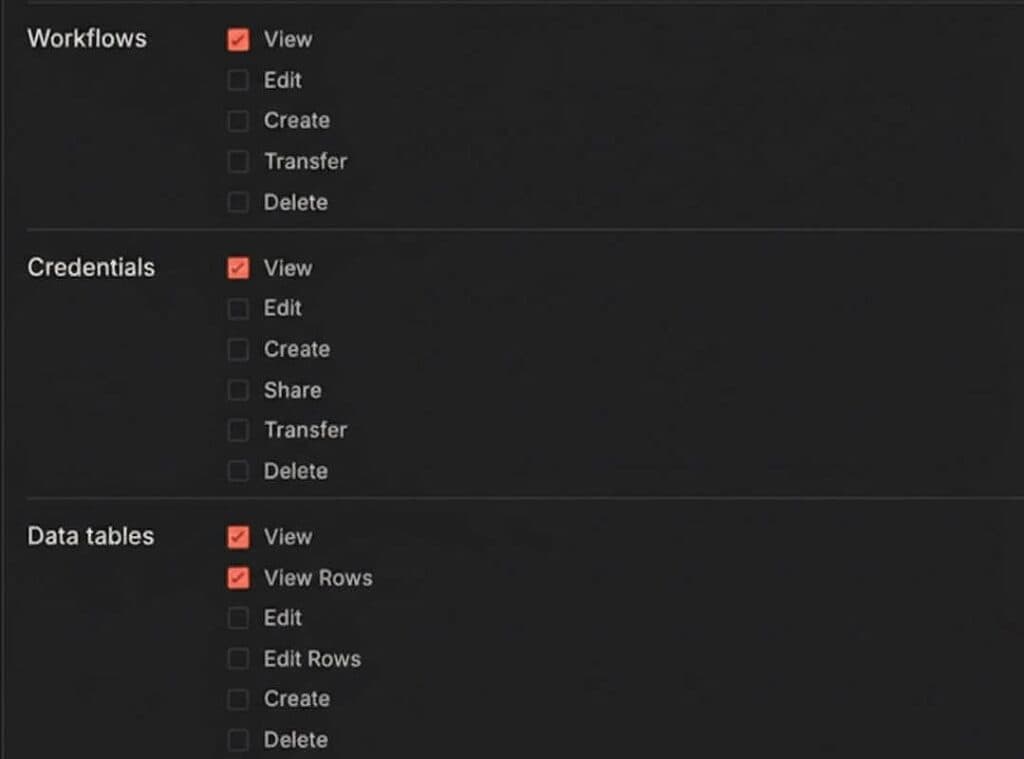
(Granular permission settings allow you to check specific boxes for Workflows, Credentials, and Data tables independently.)
This allows for highly specific role definitions. For example, you can create a “Builder” role that can create and edit workflows but cannot manage credentials. Alternatively, you could create an “Approver” role that can push changes to production but cannot edit the workflows themselves.
How does SSO User Provisioning simplify onboarding?
Managing user accounts manually is a significant administrative burden. SSO User Provisioning automates this process using standard protocols like SAML or OIDC.
When a user logs in through your Identity Provider (IDP) for the first time, their account is automatically created in n8n. This eliminates the need for administrators to manually add every new user.
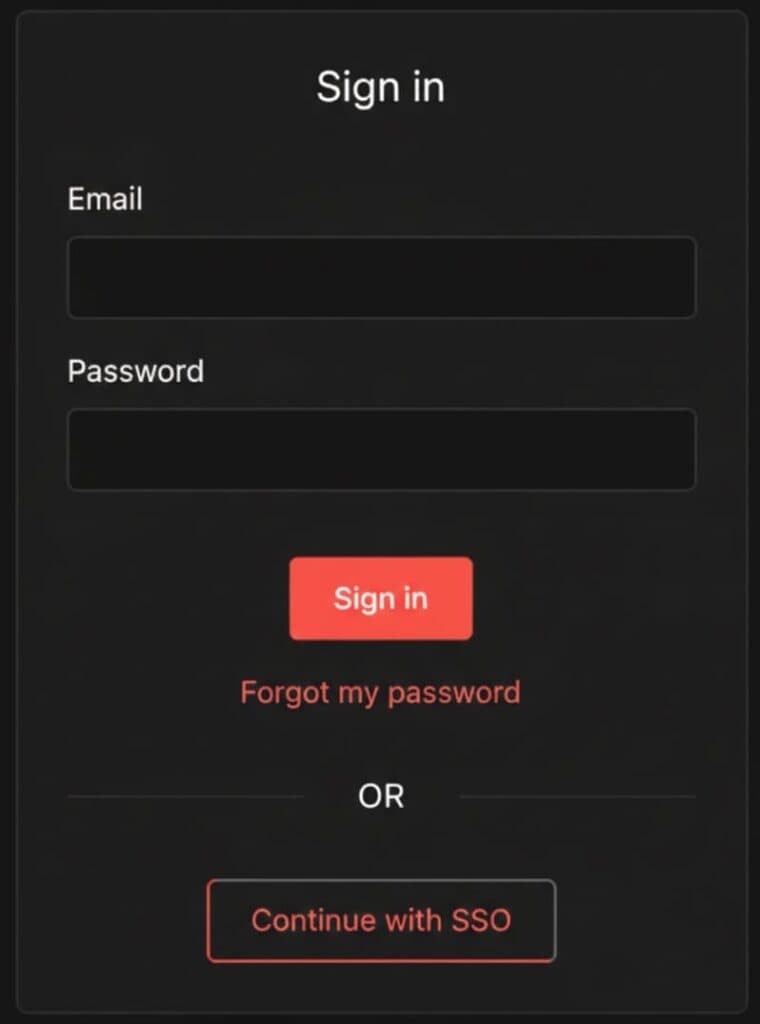
(The login screen featuring the “Continue with SSO” button, streamlining user access.)
More importantly, role assignment is integrated into this process. Roles can be assigned immediately upon the first login based on attributes from your IDP. For instance, a user belonging to the “Engineering Group” in your central system can automatically be assigned the “Developer Role” within n8n.
Can the Identity Provider manage permissions at the project level?
Yes. In the Settings > SSO menu, you can configure the level of control your IDP has over user roles. There are three primary options:
1. n8n Managed: User roles are handled manually within the platform.
2. Instance Role: Your IDP manages the global instance-level access.
3. Instance & Project Roles: Your IDP manages permissions down to the specific project level.
This flexibility reduces administrative overhead significantly. In the past, teams might have had to build complex n8n workflows just to synchronize users and roles; now, that capability is built directly into the platform.
What is the protocol for deleting a Custom Role?
To ensure stability, n8n prevents you from deleting a role that is currently in use. If you attempt to delete a custom role that has users assigned to it, the system will block the action.
To successfully delete a role, you must first navigate to your project settings and remove or reassign any users currently attached to that role. Once the role has zero users assigned, it can be safely deleted.
Summary: The Governance Stack
These features—Custom Project Roles and SSO User Provisioning—operate together to form a comprehensive “governance stack”.
• Role Control ensures precise permissions.
• Identity Control ensures secure authentication.
• Behavior Control ensures safe execution.
If security concerns have previously hindered your ability to roll out n8n across your enterprise, these controls provide the clarity and safety required to let automation grow.